Mailman 2 vs Mailman 3: Which Should You Choose?
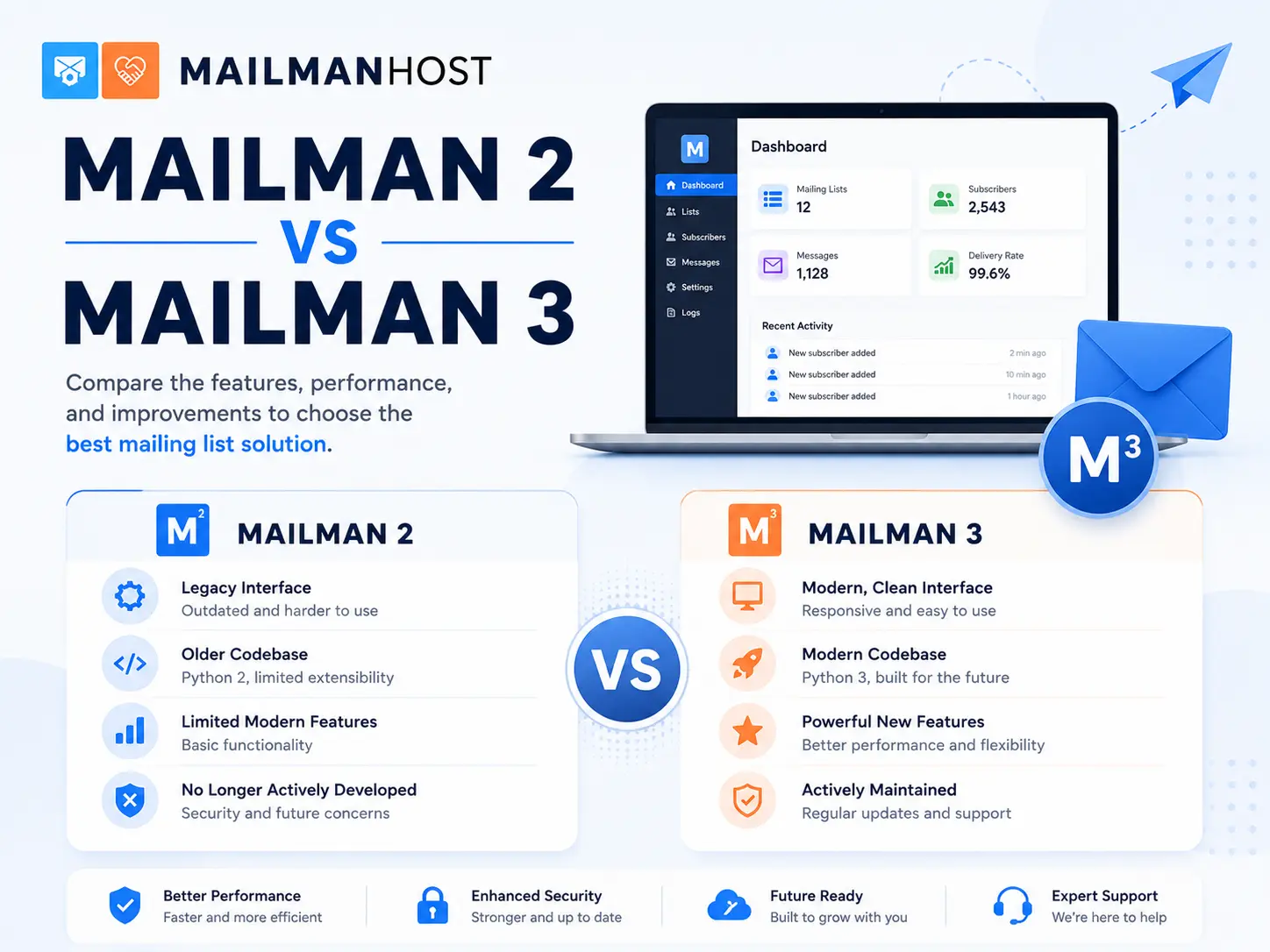
Choosing between Mailman 2 and Mailman 3 comes down to a simple tension: stability you already know versus a modern platform you will grow into. Both are supported, both deliver reliably, and both are built on the same trustworthy GNU Mailman foundation. This guide compares Mailman 2 vs Mailman 3 across the things that actually affect list owners so you can decide with confidence.
The short answer
If you are starting a new list, choose Mailman 3. It is the actively developed release, with a modern admin, a searchable archive, and better email deliverability. If you run an established Mailman 2 list that works perfectly and you have no need for the new interface or API, there is no emergency to move, but the long-term direction is clearly Mailman 3.
Architecture: monolith vs suite
The biggest structural difference is how each version is built.
Mailman 2 is a single, self-contained application. Admin pages, delivery, and the pipermail archive all live in one codebase. It is simple to reason about and battle-tested, but it is also frozen in its original design.
Mailman 3 is a suite of components that cooperate over a REST API:
- Mailman Core handles delivery, subscriptions, bounces, and moderation.
- Postorius is the modern web admin and member self-service interface.
- HyperKitty is the searchable, threaded archive.
That separation is why Mailman 3 can offer a real API and a web experience Mailman 2 never could.
Admin experience
Mailman 2 uses CGI-based admin pages that have not changed much in twenty years. They are functional and fast once you know them, but they feel dated and are hard for non-technical list owners to navigate.
Mailman 3 uses Postorius, a clean Django web interface where subscribers, moderation queues, and delivery settings are laid out logically. At MailmanHost we go a step further with the Affinity admin interface, a refined layer on top of the standard Mailman 3 admin.
Archives
This is where the difference is most visible to your members.
Mailman 2 ships pipermail: flat, chronological HTML pages with no real search. Finding an old thread means guessing at a month or using an external search engine.
Mailman 3 ships HyperKitty: a threaded, full-text-searchable archive that reads like a modern forum. Members can browse by thread, sort by activity, and actually find what they are looking for. Our Empathy archives build on HyperKitty to make that reading experience even better.
Email deliverability
Modern mailboxes are strict about authentication. Mailing lists inherently complicate SPF, DKIM, and DMARC because they modify messages in transit. Mailman 3 has more mature, configurable DMARC mitigation built in, which matters a great deal when your members are on Gmail, Outlook, and Yahoo. We cover the mechanics in depth in our deliverability guide.
Integration and automation
If you need to subscribe members programmatically, sync with a CRM, or build custom tooling, Mailman 3 is the only real choice. Its REST API exposes lists, members, and settings as first-class resources. Mailman 2 has no comparable interface, so automation means scripting against internal files.
Side-by-side comparison
| Capability | Mailman 2 | Mailman 3 |
|---|---|---|
| Admin interface | Classic CGI pages | Modern web admin (Postorius) |
| Archive | Pipermail, no search | HyperKitty, full-text search |
| REST API | No | Yes |
| DMARC mitigation | Basic | Mature and configurable |
| Active development | Maintenance only | Actively developed |
| Learning curve | Familiar to veterans | Friendlier for newcomers |
When Mailman 2 still makes sense
Mailman 2 is a fine choice when you have an existing list that runs flawlessly, your members are comfortable with it, and you have no need for search, an API, or the modern interface. Stability has real value, and there is no shame in running proven software. We still offer fully supported Mailman 2 hosting for exactly this reason.
When to choose Mailman 3
Choose Mailman 3 when you are starting fresh, when your members keep asking for search, when you need to integrate the list with other systems, or when deliverability to major mailbox providers is becoming a headache. For most new lists, it is the better long-term home.
Already on Mailman 2 and ready to move up? Read our step-by-step guide to migrating from Mailman 2 to Mailman 3.
Frequently asked questions
Is Mailman 2 still supported?
Yes. Mailman 2.1 continues to receive maintenance and remains a reliable, supported option, and MailmanHost hosts it fully. New feature development, however, happens in Mailman 3.
Can Mailman 3 do everything Mailman 2 does?
Yes, and more. Every core list function carries over, with a modern interface, searchable archives, and an API added on top.
Do I have to migrate immediately?
No. If your Mailman 2 list works and meets your needs, you can stay on it. Plan the move for when you want the new features rather than treating it as an emergency.
Which version has better deliverability?
Mailman 3, thanks to more mature and configurable DMARC handling, which is increasingly important as mailbox providers tighten authentication rules.
Not sure which version fits your organization? Talk to our team or compare hosting plans.