Mailing List Deliverability: A Guide to SPF, DKIM, and DMARC
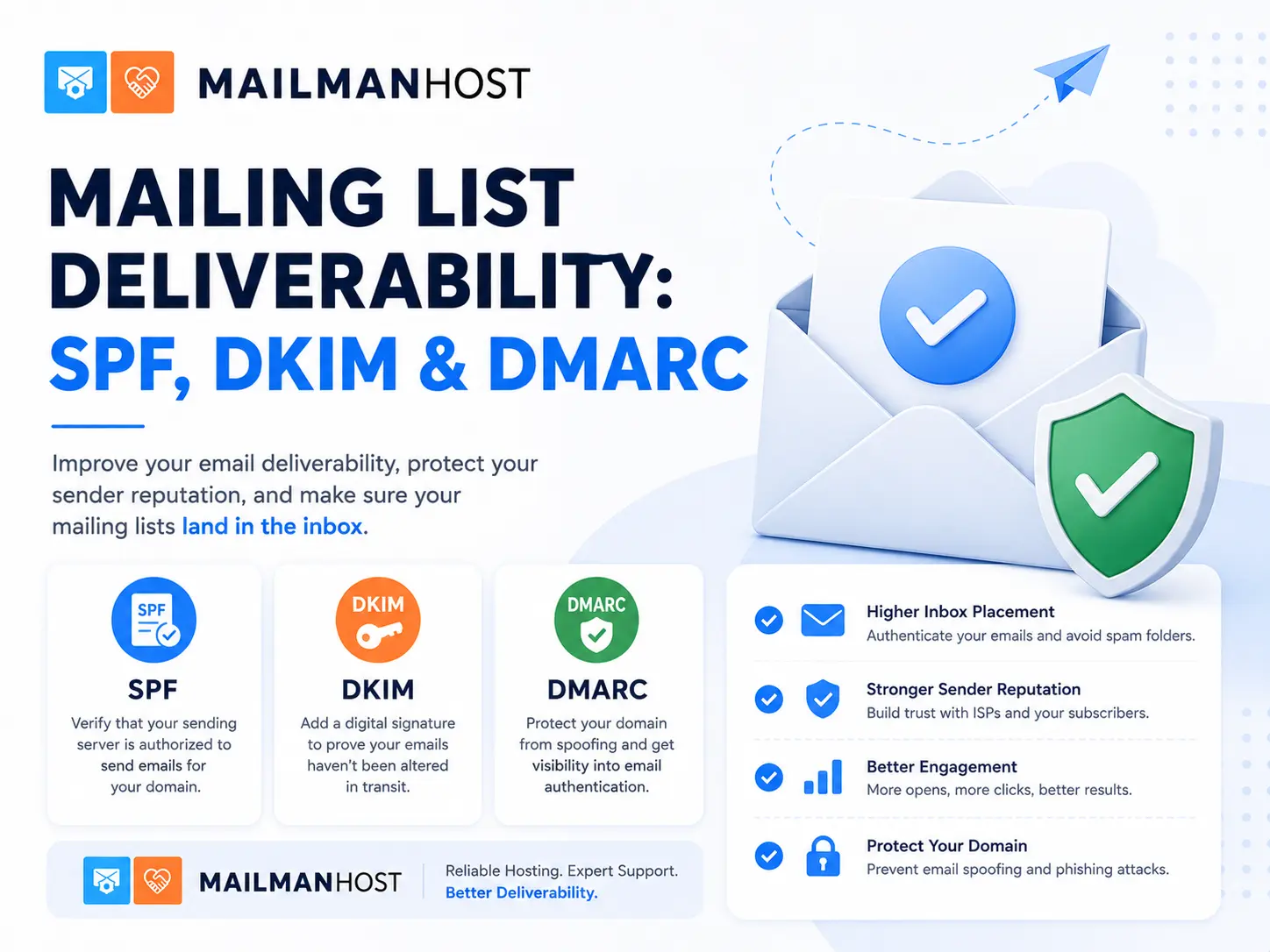
You can run a perfectly configured mailing list and still watch messages vanish into spam folders or bounce outright. The reason is almost always email authentication: SPF, DKIM, and DMARC. These three standards decide whether Gmail, Outlook, and Yahoo trust your mail, and mailing lists are uniquely good at breaking them. This guide explains how the three work, why mailing list deliverability is harder than ordinary email, and how to configure a list so your messages actually arrive.
The three pillars of email authentication
SPF (Sender Policy Framework)
SPF is a DNS record that lists which mail servers are allowed to send email for your domain. When a receiving server gets a message, it checks the envelope sender’s domain, looks up its SPF record, and confirms the sending server is authorized. A basic record looks like this:
v=spf1 include:_spf.example.com -allSPF authenticates the envelope sender (the return path), not the visible From address. That distinction becomes very important for mailing lists.
DKIM (DomainKeys Identified Mail)
DKIM attaches a cryptographic signature to each message, generated with a private key and verifiable against a public key published in DNS. If a message is altered in transit, the signature no longer validates. DKIM proves two things: that the message really came from the signing domain, and that it was not modified along the way.
DMARC (Domain-based Message Authentication, Reporting and Conformance)
DMARC ties SPF and DKIM together and tells receivers what to do when they fail. It checks that the domain in the visible From header aligns with an authenticated SPF or DKIM result, and publishes a policy:
v=DMARC1; p=quarantine; rua=mailto:dmarc@example.comThe policy can be p=none (monitor only), p=quarantine (treat failures as suspicious), or p=reject (refuse failing mail outright). More and more domains, including major providers, publish strict policies.
Why mailing lists break authentication
Here is the core problem. A mailing list receives a message from a member and re-sends it to everyone else. In the process it typically:
- Adds a subject tag like
[listname]. - Appends a footer with unsubscribe information.
- Changes headers and sometimes the envelope sender.
Each of those modifications can invalidate the original DKIM signature. Meanwhile the message still carries the original author’s From address, for example a member at gmail.com, but it is now being sent from your list server. If gmail.com publishes p=reject, receiving servers see a message claiming to be from Gmail, failing authentication, and follow Gmail’s instruction to reject it. Legitimate list mail gets discarded, and the author’s real domain gets blamed.
How Mailman solves the DMARC problem
Mailman includes purpose-built DMARC mitigation. The key setting is dmarc_moderation_action, which controls what the list does when an incoming author’s domain publishes a strict DMARC policy. Its main options are:
- Accept leaves the message unchanged. Fine for lists whose members are not on strict-policy domains.
- Munge From rewrites the From header to the list address (with the original author shown in the display name and Reply-To). Because the mail now comes from your list’s domain, which you control and authenticate, DMARC passes.
- Wrap Message encloses the original message as an attachment inside a new one sent from the list, preserving the original intact while satisfying authentication.
- Reject or Discard refuse the post from strict-policy domains entirely.
For most lists with members on Gmail, Yahoo, and Outlook, Munge From is the practical default. It keeps mail flowing while keeping authentication intact. Mailman 3 offers more mature and configurable handling here than Mailman 2, one of several reasons we recommend it in our Mailman 2 vs Mailman 3 comparison.
A deliverability checklist for list owners
- Publish SPF that authorizes your list server, and keep it under the ten-lookup limit.
- Sign outgoing list mail with DKIM using your list’s own domain, so the signature survives the list’s modifications.
- Publish a DMARC record for your list domain, starting at
p=nonewith reporting so you can see what is happening before enforcing. - Set
dmarc_moderation_actionto Munge From (or Wrap) so posts from strict-policy members still authenticate. - Configure proper bounce handling so persistently failing addresses are removed and your sending reputation stays clean.
- Warm up and monitor. Watch DMARC aggregate reports and delivery logs, and address problems before they become blocklistings.
- Keep reverse DNS and HELO consistent with your sending IP. Mismatches quietly hurt reputation.
Why hosting choice matters for deliverability
Deliverability is not a one-time setup. It is ongoing reputation management: monitoring reports, adjusting DMARC handling as member domains tighten policies, keeping IPs clean, and responding when a provider changes its rules. A shared or poorly maintained mail server can quietly poison your reputation through other tenants’ behavior.
This is a core reason organizations choose managed Mailman hosting. At MailmanHost we handle SPF, DKIM, and DMARC configuration, tune dmarc_moderation_action for your membership, manage bounce processing, and maintain sending reputation so your list mail lands in inboxes. Fifteen-plus years of running Mailman means we have seen the deliverability edge cases before they reach you.
Frequently asked questions
Why does my mailing list mail go to spam?
Usually because list modifications break the original DKIM signature and the author’s domain publishes a strict DMARC policy, so receivers distrust the message. Configuring DMARC mitigation such as Munge From resolves it.
What is the best dmarc_moderation_action setting?
For lists with members on Gmail, Yahoo, or Outlook, Munge From is the usual best choice. It rewrites the From header to your authenticated list domain so DMARC passes while keeping the author visible.
Do I need SPF, DKIM, and DMARC all three?
Yes. SPF authorizes sending servers, DKIM proves integrity, and DMARC ties them together and sets policy. Modern mailbox providers increasingly expect all three for reliable delivery.
Can a managed host handle all of this for me?
Yes. A good managed Mailman host configures authentication, tunes DMARC handling for your members, manages bounces, and maintains sending reputation on your behalf. Ask us how.
Want your list mail to actually reach inboxes? See MailmanHost plans or talk to our deliverability team.